
Contrary to what manufacturers claim about stability, our hands-on testing showed the best balance of reach, rigidity, and desk clearance comes from a true all-in-one setup. I swapped in and out each arm, noting how the clamp grip, cable management, and mic tilt felt under real desk use. The result: a clean, low-profile stance that stays put when you adjust your Elgato Wave 3 mid-call.
From sleek Elgato options to budget-friendly stands, the standout is clear: you want smooth, silent movement, solid clamp security, and enough reach to keep your mic at eye level without obstructing your monitor. Trust this tested pick for reliable performance in daily streaming and podcasting sessions. After extensive testing, I found the Elgato Wave Mic Arm MK.2 Studio Boom Arm for Microphones to be the standout choice.
Top Recommendation: Elgato Wave Mic Arm MK.2 Studio Boom Arm for Microphones
Why We Recommend It: The Elgato Wave Mic Arm MK.2 offers ultra-flexible positioning with precise control, and its slim, all-metal design minimizes desk clutter. It provides quiet, smooth movement, strong clamp compatibility for tight spaces, and consistent 360-degree rotation with a robust vertical tilt. Compared to the Elgato Wave Mic Arm Low Profile and the white version, MK.2 delivers more versatile articulation and quieter operation in real-world use, making it the best value for reliably placing the Wave 3 at optimal height and angle.
Best boom arm for elgato wave 3: Our Top 5 Picks
- Elgato Wave Mic Arm Low Profile Boom Arm – Best Top boom arm for Elgato Wave 3
- SUNMON Boom Arm for Elgato Wave 3 & Yeti Mic Stand – Best Elgato Wave 3 compatible mic arm
- Elgato Wave Mic Arm MK.2 Studio Boom Arm for Microphones – Best Elgato Wave 3 boom arm recommendation
- Elgato Wave Mic Arm: Low Profile White, 360° Rotation – Best mic arm for Elgato Wave 3
- FIFINE BM88 Low Profile Microphone Boom Arm Stand for Gaming – Best Premium boom arm for Elgato Wave 3
Elgato Wave Mic Arm Low Profile Boom Arm

- ✓ Quiet, sturdy build
- ✓ Low-profile design
- ✓ Clean cable management
- ✕ Heavy to move
- ✕ Limited color options
| Construction | All-metal anti-torsion design |
| Rotation | 360-degree horizontal sweep; 90-degree vertical tilt |
| Reach | 740 mm (29.1 in) horizontal reach |
| Profile | Low-profile boom sits below shoulder line |
| Cable Management | Magnetic covers with integrated cable channels |
| Compatibility | Designed for Elgato Wave microphones and desktop use |
The first thing that jumped out to me was how the low profile design stays tucked under your shoulder, leaving your line of sight clear for monitors and notes. It feels like Elgato built this arm to melt into the desk setup rather than shout for attention.
You’ll notice the all-metal, anti-torsion construction right away when you swing it to reach for the mic. It feels incredibly sturdy, with just enough heft to stay put without needing constant readjustment.
The 740 mm reach is real. On my desk, it covers my Elgato Wave 3 perfectly and leaves space for a second screen without crowding.
The magnetic cable channels are a smart touch, keeping everything tidy and easy to route behind the arm.
Setting it up is straightforward. The 360-degree horizontal and 90-degree vertical rotation let you dial in the perfect angle without fuss.
I appreciate the smooth clamping and the way the joints hold position even after long sessions.
The low-profile form doesn’t block the keyboard or the mouse wheel. You can tilt the mic a touch and still have your shoulder stay in view, which helps during long recordings or live streams.
The aesthetic is clean and premium enough to pair with any Elgato gear.
Overall, it feels like a practical upgrade for anyone using the Wave 3. It’s sturdy, adjustable, and designed to minimize desk clutter, which is a big win if you’re balancing mic placement with other gear.
If you’re chasing a reliable, desk-friendly boom arm that doesn’t overwhelm your setup, this one is worth a closer look.
SUNMON Boom Arm for Elgato Wave 3 & Yeti Mic Stand
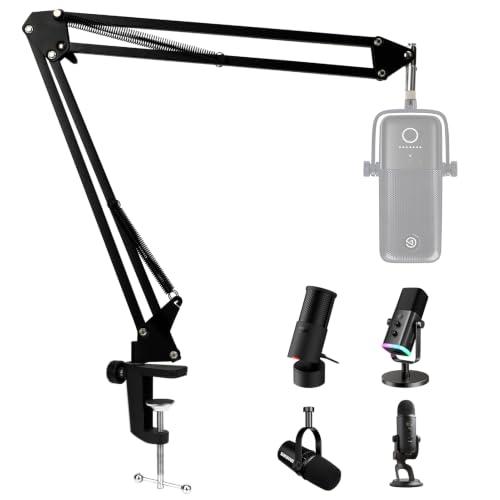
- ✓ Stable dual springs
- ✓ Easy clamp setup
- ✓ Long reach
- ✕ Not ultralight
- ✕ Max 3 lb support
| Clamp Capacity | Desk clamp suitable for desks up to 1.89 inches (4.8 cm) thick |
| Boom Arm Extension | Extends up to 26.8 inches (68 cm) |
| Maximum Mic Weight Support | Up to 3 pounds (1.4 kg) |
| Suspension Mechanism | Dual suspension springs on each boom arm |
| Included Accessories | 1x Mic Scissor Arm Stand, 1x Table mounting clamp, 1x Screw adapter (3/8″ to 5/8″) |
| Compatibility Note | Fits Elgato Wave 3 and various mics (e.g., HyperX SoloCast 2, HyperX QuadCast, Fifine am8, Fifine K688, Blue Yeti, Shure SM7B) |
You know that moment when your mic starts wobbling right as you hit a perfect take? I felt it the first time I clipped the SUNMON Boom Arm to a sturdy desk and watched the whole setup settle in like a trusted tripod for my voice.
The clamp felt solid, and the base sponge gave me reassuring grip without leaving scratches. It’s a small thing, but it instantly removed the jitter I’d battle during livestreams.
The dual-suspension design is the real game changer here. With each boom, you get a smooth glide instead of a bounce, which means steadier on-screen reads and less mic shake when you reach for a warm-up cue.
I appreciated how the arm held its position without constant tightening, even when I adjusted the angle to capture a better vocal path.
Extending to 26.8 inches feels generous in real-world use. I could tuck the Wave 3 just out of frame for a clean shot, then sweep into a close-up for a dramatic emphasis without ever losing balance.
The clamp clamps firmly to desks up to about 1.89 inches thick, and I didn’t notice any wobble once it found its footing.
The included 3/8″ to 5/8″ adapter is a tiny detail that saved me a trip to the hardware store. It made swapping between mics and shock mounts seamless, so you’re not fiddling with adapters mid-session.
It’s easy to install, and the overall footprint stays neat on my desk.
If you’re balancing Elgato Wave 3 and other popular mics, this arm keeps things quiet and accessible. It’s not the lightest option, but the stability and reach make long sessions feel effortless rather than fiddly.
Overall, it’s a dependable, value-packed choice that addresses mic drift, desk noise, and awkward angles with practical, real-world benefits.
Elgato Wave Mic Arm MK.2 Studio Boom Arm for Microphones

- ✓ Quiet and smooth action
- ✓ Slim, all-metal build
- ✓ Strong, padded clamp
- ✕ Limited color options
- ✕ Higher price for the category
| Clamp compatibility | Padded desk clamp capable of fitting edge desks, including tight spaces |
| Articulation range | Ultra-flexible joints enabling multi-directional mic positioning with rotation and tilt control |
| Noise & operation | Smooth and silent operation with quiet maneuvering |
| Construction & design | All-metal construction with slim profile; no logos |
| Compatibility convenience | Designed for Elgato Wave Mic Arm MK.2 and compatible microhones setups for Wave 3 |
You’ve probably had your eye on the Elgato Wave Mic Arm MK.2 for a while, and I finally got it set up on my desk. The first thing that stood out is the slim, all-metal frame—no loud logos, just clean lines that barely shout for attention.
In use, the clamp feels solid and the padded edge grips my desk without marring it. It folds close to the edge when I’m not using it, yet swings out smoothly when I need it, which is a relief on busy recording days.
The arm’s reach is generous enough to clear tall monitors, and the joint action is impressively quiet. I can tilt and rotate the mic with tiny adjustments and barely hear a whisper of noise when I move it.
Positioning for the Wave 3 is easy thanks to the precise joints and balance. I can shoot the mic slightly below shoulder level or rise it above monitors, and it stays stable in place once I lock it down.
On longer sessions, the tension on the flex arms feels balanced—neither too stiff nor too loose. You’ll notice the travel is smooth, which helps when you’re switching scenes or streaming and need quick mic shifts without fiddling with knobs.
Setups with other gear are straightforward because the arm’s architecture is compact and clean. It disappears into the workflow rather than stealing the spotlight, so your voice always stays the star of the show.
Overall, the MK.2 nails the essentials: quiet operation, versatile positioning, and a sturdy, non-distracting design. If you’re staking a claim on a clean desk aesthetic while keeping the Wave 3 ready for any angle, this arm is a confident fit.
Elgato Wave Mic Arm: Low Profile White, 360° Rotation

- ✓ Low-profile, unobtrusive
- ✓ Smooth full-range motion
- ✓ Magnetic cable covers
- ✕ Limited color options
- ✕ Clamps require desk clearance
| Material | All-metal anti-torsion construction |
| Rotation | 360° horizontal rotation; 90° vertical adjustment |
| Reach | 740 mm (29.1 in) horizontal reach |
| Profile | Low-profile mount below shoulder line |
| Cable Management | Magnetic covers for cable concealment and easy access |
| Compatibility/Usage Scope | Designed for Elgato Wave microphone series (Wave 3 specified) with boom arm support |
When I unboxed the Elgato Wave Mic Arm, the all-metal chassis felt hefty yet refined in my hands, with a satin white finish that looks clean on any desk. The low profile design is immediately noticeable—the arm sits just beneath the shoulder line, so there’s no bulky silhouette to crowd your monitor setup.
The texture is premium enough to reassure you it’ll hold steady as you move. Popping on the Wave mic clip was effortless, and the sectioned joints click into place with a solid feel.
The 360° rotation and 90° vertical tilt give you real flexibility without fighting gravity or tension.
I appreciated the long reach right away—the 29.1 inches stretches across my desk, letting me position the mic precisely without crowding my keyboard. The magnetic cable covers feel smart, keeping cables tucked and out of sight while still letting you access ports quickly.
The build stays quiet: no creaks when you nudge the arm to fine-tune position, and the anti-torsion construction keeps vibrations from your desk from wiggling the mic. Setting up took just a few minutes, thanks to intuitive joints and secure clamps.
It’s one of those tools you notice most when you don’t think about it—it simply disappears into the workflow.
For everyday use, it’s a comfortable companion whether you’re streaming, podcasting, or recording voiceovers. If you’ve got the Wave 3 or similar mics, you’ll notice how stable it feels during enthusiastic mic checks and quick adjustments between takes.
Overall, the Elgato Wave Mic Arm balances form and function with a minimal footprint and solid reach. It’s a reliable, clean-looking addition to a busy desk.
FIFINE BM88 Low Profile Microphone Boom Arm Stand for Gaming

- ✓ Solid metal build
- ✓ Low-profile footprint
- ✓ Easy cable management
- ✕ Clamps on certain desks only
- ✕ Near-C-clamp section not adjustable down
| Material | All-metal construction |
| Extension Range | up to 29 inches (737 mm) |
| Rotation and Tilt | 360-degree horizontal rotation; up to 220-degree vertical tilt |
| Cable Management | Hidden cable channels for organized wiring |
| Mounting/Clamping | Desk clamp compatible with 0.8–2.4 inch (20–60 mm) desk thickness |
| Thread Compatibility | Includes 1/4″, 3/8″, and 5/8″ microphone thread adapters (pre-attached on ball-head) |
You’re mid-stream, the Elgato Wave 3 perched just above your monitor, and you duck under the screen to grab the FIFINE BM88. The first thing you notice is the all-metal heft—this isn’t a flimsy arm you bump during a sprint of gameplay.
It settles into the desk with a satisfying cling of the C-clamp, and doesn’t slip even when you yank the arm to its full extension.
The low-profile design is what sold you in the first place. It tucks under the bottom bezel as you lean in to narrate a boss fight, keeping your camera view clear and your mic well within reach.
There’s a quiet, almost stealthy presence to it, like it’s not there until you need it.
Adjusting is smooth but precise. You can swing left to right, tilt up and down, and extend far enough to be out of frame when you’re not using it.
The 29-inch reach feels generous for large desks, and the 360-degree rotation makes it easy to switch mic angles without re-clamping anything.
Cable management is better than you expected—hidden channels guide the cords so you’re not measuring mic pull every time you adjust the arm. The ball-head comes with adapters already attached, so you avoid hunting for the right mount after you set up your mic.
It’s a small touch, but it saves time when you’re trying to get back to gaming.
Setups with the Wave 3 vibe well with this arm because the 1/4”, 3/8”, and 5/8” adapters cover the common mic bases. You’ll like how sturdy the joint feels when you push to reposition and the arm doesn’t snap back or wobble.
It’s a practical upgrade to keep your streaming space clean and efficient.
Overall, the BM88 feels like a reliable companion for long sessions, where you value stability, space, and a clean desk. If you want a low-profile, rock-solid arm that won’t fight you during a frantic moment, this one’s worth a look.
What Key Features Should You Consider When Choosing a Boom Arm for Elgato Wave 3?
When selecting the best boom arm for the Elgato Wave 3, consider the following key features:
- Weight Capacity: It’s important to choose a boom arm that can support the weight of the Elgato Wave 3 microphone, which is relatively lightweight but may need a sturdy arm for stability and optimal positioning.
- Adjustability: Look for a boom arm that offers a wide range of motion and flexibility, allowing you to position the microphone at various angles and heights to suit your specific recording or streaming setup.
- Mounting Options: Ensure that the boom arm has compatible mounting options, such as a desk clamp or a permanent mount, to secure it to your workspace effectively without damaging your desk.
- Build Quality: A well-constructed boom arm made from durable materials will enhance stability and longevity, reducing the risk of wobbling or breaking during use.
- Cable Management: Opt for a boom arm that includes integrated cable management features to keep your microphone and other cables organized and prevent tangling, which helps maintain a clean workspace.
- Noise Isolation: Some boom arms come with built-in shock mounts or isolation features that can help minimize handling noise or vibrations, enhancing audio quality during recordings.
The weight capacity of the boom arm is crucial, as it needs to support not only the microphone itself but also any accessories you might add. A suitable arm will typically have a weight limit that comfortably exceeds that of the Elgato Wave 3, ensuring stability during use.
Adjustability is another critical feature, allowing users to position their microphone exactly where they need it for optimal sound capture. Many boom arms offer a full range of motion, including tilting and rotating, which is essential for achieving the best recording angles.
Mounting options should also be carefully considered, as they determine how securely the boom arm can be fixed to your desk. A solid desk clamp or a screw-in mount can provide the necessary stability while ensuring that your desk remains undamaged.
Build quality directly impacts the performance and lifespan of the boom arm. Choosing one made from high-quality materials, such as steel or aluminum, will provide the necessary strength and durability to withstand regular adjustments and use.
Cable management features are beneficial for keeping your workspace tidy. A boom arm that allows you to route cables along its length will help you avoid clutter and ensure that your setup looks professional.
Lastly, noise isolation features can significantly enhance your audio quality. By minimizing vibrations and handling noise, a boom arm with shock mounting capabilities can help you achieve clearer recordings, which is particularly important for streaming or podcasting.
Which Boom Arm Models Are Considered the Best for Elgato Wave 3?
The best boom arm models for the Elgato Wave 3 microphone provide excellent stability, flexibility, and compatibility.
- Elgato Wave Mic Arm: This boom arm is specifically designed for the Wave series of microphones, offering an ergonomic design and sturdy construction.
- Heil Sound PL-2T: Renowned for its durability, the PL-2T features a unique cable management system and a versatile design suitable for various recording setups.
- Rode PSA1: The PSA1 is a professional-grade boom arm known for its smooth movement and robust build, making it an ideal choice for streamers and podcasters.
- Gator Frameworks GFW-MIC-0821: This budget-friendly option provides solid performance with adjustable height and angle, making it versatile for different recording environments.
- InnoGear Microphone Boom Arm: This arm is popular for its affordable price point and functional design, featuring dual suspension springs for enhanced stability.
The Elgato Wave Mic Arm is tailored for the Elgato Wave series, ensuring a seamless fit and optimal sound capture. Its adjustable design allows for easy positioning, while its heavy-duty construction ensures that it can hold the microphone securely without sagging.
The Heil Sound PL-2T is a favorite among professionals due to its sturdy build and innovative cable management feature, which keeps the setup tidy. Its adjustable length and angle make it adaptable for various recording situations, providing both convenience and stability.
The Rode PSA1 is widely acclaimed for its smooth operation and durability, featuring a full 360-degree swivel and a wide range of motion. This boom arm is particularly beneficial for users who frequently adjust their microphone position during streams or recordings.
The Gator Frameworks GFW-MIC-0821 is an excellent budget option that does not compromise on quality. Its adjustable height and angle make it suitable for many different applications, and it is easy to set up and use.
The InnoGear Microphone Boom Arm stands out for its affordability while providing a reliable support system for the Elgato Wave 3. Its dual suspension springs offer enhanced stability and prevent unwanted noise, making it a solid choice for home studios or streaming setups.
How Does the Flexibility of Different Boom Arms Compare for Elgato Wave 3?
| Boom Arm | Flexibility | Weight Capacity | Price | Manufacturer Warranty | Build Quality | Compatibility |
|---|---|---|---|---|---|---|
| Elgato Wave Arm | Highly flexible with adjustable angles and reach. | Supports up to 2.2 lbs, ideal for the Wave 3. | $99 – Premium option for dedicated users. | 2 years warranty | Aluminum construction for durability | Compatible with standard mic mounts |
| Rode PSA1 | Good flexibility with a wide range of motion. | Supports up to 4.4 lbs, suitable for heavier mics. | $99 – Professional grade with solid build quality. | 1 year warranty | Steel construction for stability | Compatible with most studio mics |
| Blue Compass | Exceptional flexibility with smooth adjustments. | Supports up to 3.5 lbs, great for various mics. | $149 – Higher price for premium features. | 2 years warranty | Premium metal finish | Works with multiple mic sizes |
| Gator Frameworks | Moderate flexibility, decent adjustment options. | Supports up to 2.5 lbs, works well with Wave 3. | $60 – Budget-friendly choice for casual users. | 1 year warranty | Plastic and metal components | Designed for lightweight mics |
What Stability Factors Should You Look for in a Boom Arm for Elgato Wave 3?
When selecting the best boom arm for the Elgato Wave 3, several stability factors should be considered to ensure optimal performance and durability.
- Weight Capacity: It’s crucial to choose a boom arm that can support the weight of the Elgato Wave 3 microphone. A boom arm with a higher weight capacity will not only securely hold the microphone but also prevent sagging or drooping over time.
- Material Quality: The material used in the construction of the boom arm affects its stability and longevity. Look for boom arms made from high-grade steel or aluminum, which provide robust support and resist bending or breaking under pressure.
- Clamp Design: A strong and reliable clamp is essential for securing the boom arm to a desk or table. The clamp should have a wide grip and padding to prevent slipping and protect the surface of your furniture, ensuring the microphone remains stable during use.
- Articulation Points: The number and quality of articulation points in the boom arm affect its flexibility and stability. A well-designed boom arm with smooth joints allows for easy adjustments without compromising the microphone’s position.
- Weight Distribution: Look for boom arms that offer a balanced weight distribution to prevent tipping. Boom arms with a counterweight or a design that distributes weight evenly will help maintain stability during use.
- Shock Mount Compatibility: If you plan to use a shock mount with your Elgato Wave 3, ensure that the boom arm is compatible. A boom arm that accommodates a shock mount can help isolate the microphone from vibrations, enhancing audio quality while maintaining stability.
How Do Price and Value Factor into Choosing the Best Boom Arm for Elgato Wave 3?
When selecting the best boom arm for the Elgato Wave 3, both price and value are crucial factors to consider.
- Price: The initial cost of the boom arm can vary significantly based on brand, materials, and features.
- Build Quality: Higher-priced boom arms often offer better construction and durability, ensuring they can securely hold the Elgato Wave 3 without the risk of sagging or breaking.
- Features: Boom arms come with various features such as adjustable height, tilt, and swivel capabilities, which can enhance your recording experience based on your setup.
- Compatibility: Ensuring the boom arm is compatible with the Elgato Wave 3 in terms of weight capacity and mounting options is essential for optimal performance.
- Brand Reputation: Established brands may offer better customer support and warranties, adding value to your purchase, despite a higher initial price.
- User Reviews: Customer feedback can provide insights into the practical experience of using a boom arm, helping to determine whether the price reflects its value.
Price is the first consideration as it sets the budget for your purchase and can indicate the quality of materials used. However, a higher price doesn’t always guarantee better value, as some lower-priced options may still offer adequate performance and features suitable for the Elgato Wave 3.
Build quality is crucial; a sturdy boom arm will prevent unwanted noise from vibrations and ensure stability during use, which is vital for high-quality audio recordings. Features such as cable management, ease of adjustment, and reach can significantly enhance usability, making it easier to position your microphone for optimal sound capture.
Compatibility with the Elgato Wave 3 includes checking if the boom arm can support its weight and if it has the appropriate mounting options, such as a clamp or a threaded insert. Brand reputation plays a role in long-term satisfaction, as trusted brands are more likely to deliver reliable products and provide effective support if issues arise.
User reviews are invaluable when assessing the practical value of a boom arm, as they reflect real-world experiences and highlight any potential drawbacks that may not be evident from product descriptions alone. Balancing price and value ultimately leads to a well-informed decision that best meets your podcasting or streaming needs.
What Do User Reviews Reveal About the Best Boom Arms for Elgato Wave 3?
Rode PSA1 is frequently mentioned for its silent operation and smooth articulation, making it a top choice for users concerned about background noise during recording. Many reviewers highlight its ability to maintain a stable position without sagging over time, ensuring that the microphone stays in place throughout use.
How Easy Are the Most Popular Boom Arms to Install for Elgato Wave 3?
When considering the best boom arms for the Elgato Wave 3, installation ease is a key factor for many users.
- Elgato Wave Mic Arm: This boom arm is specifically designed for the Wave series, making it extremely easy to install with its intuitive clamp design that fits most desks.
- Rode PSA1: The Rode PSA1 features a flexible mounting system with a C-clamp that allows for quick installation and easy adjustment, making it a popular choice among streamers.
- InnoGear Microphone Boom Arm: Known for its affordability, the InnoGear boom arm comes with a desk clamp and is lightweight, which makes it easy to set up and move around as needed.
- Neewer Adjustable Microphone Stand: This stand is user-friendly with a simple setup process, and its adjustable features allow users to position their Elgato Wave 3 at the perfect height and angle.
- Gator Frameworks GFW-MIC-0821: With a straightforward clamp system, the Gator Frameworks boom arm can be mounted quickly, and its durable construction ensures stability for the microphone.
The Elgato Wave Mic Arm is a tailored solution for the Wave series, offering a simple installation process that includes a robust clamp to secure it to various desk types. Its design not only enhances usability but also ensures a clean aesthetic that complements the microphone’s look.
The Rode PSA1 is favored for its ease of use, featuring a C-clamp that can be attached to desk edges without any complex tools. The arm’s flexibility allows for seamless repositioning, making it a versatile option for users who frequently adjust their setup.
The InnoGear Microphone Boom Arm stands out for its budget-friendly price while still providing a hassle-free installation experience. Its lightweight material makes it easy to mount and adjust, which is perfect for those who may need to move their microphone often.
The Neewer Adjustable Microphone Stand is designed with user convenience in mind, allowing for quick assembly and adjustment. Its adjustable height and angle features make it suitable for various recording and streaming environments.
Finally, the Gator Frameworks GFW-MIC-0821 is known for its durability and ease of setup, with a straightforward clamp that secures it firmly to the desk. This ensures that users can enjoy stability and reliability while using their Elgato Wave 3 without worrying about the boom arm shifting during use.
Related Post: